It’s almost time.
Apple has officially confirmed that preorders for the new iPhone 18 Pro and iPhone 18 Pro Max will open this Saturday, September 12 — and if you’re planning to get one, there are a few things worth doing before the clock hits 1pm.
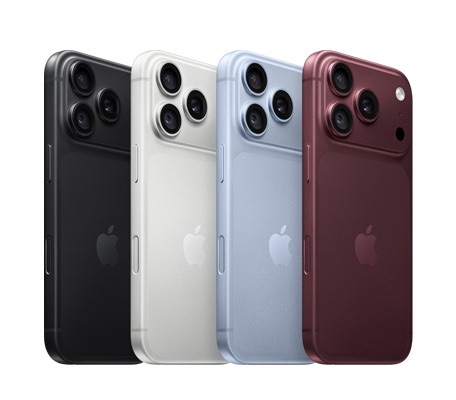
That’s right: UK preorders open at 1:00pm BST, with the new Pro models arriving in stores and beginning deliveries on Friday, September 18. (Apple)
The iPhone 18 Pro starts at £1,199, while the iPhone 18 Pro Max starts at £1,299. Both are available in 256GB, 512GB, 1TB and 2TB configurations, with black, silver, glacier and the rather lovely new burgundy finish to choose from.
And if you want to make preorder morning as painless as possible, Apple’s own Apple Store app is probably the way to go.
How to preorder iPhone 18 Pro using the Apple Store app
Before Saturday, download or update the official Apple Store app and sign in with your Apple Account.
Then:
1. Open the Apple Store app
Have it ready before 1pm on Saturday. You don’t want to be hunting around for it when preorders go live.
2. Find iPhone 18 Pro
Head to the iPhone section and select either iPhone 18 Pro or iPhone 18 Pro Max.
3. Choose your configuration
Pick your colour, storage capacity and whether you want the Pro or Pro Max.
4. Get your trade-in sorted
If you have an eligible iPhone to trade in, Apple can give you credit towards your new phone. Apple currently says customers trading in an iPhone 16 Pro or later can get up to £455 in credit towards an iPhone 18 Pro. (Apple)
This is probably the easiest way to knock a chunk off the price without having to sell your old phone separately.
5. Choose how you want to pay
You can pay for the iPhone outright, or look at Apple’s available monthly payment options. Apple also offers its Flexible Finance Account, including interest-free options on eligible purchases. (Apple)
6. Choose delivery or Apple Store pickup
You can have your new iPhone delivered, or choose Apple Store pickup where available. (Apple)
7. Check everything and hit preorder
Once you’ve selected everything, review your configuration, trade-in and payment details, then place the order.
And that’s it.
A couple of things I’d do before Saturday
If you’re serious about getting one on launch day, I’d sign into the Apple Store app now, make sure your payment information is up to date and decide exactly which model, colour and storage you’re going for.
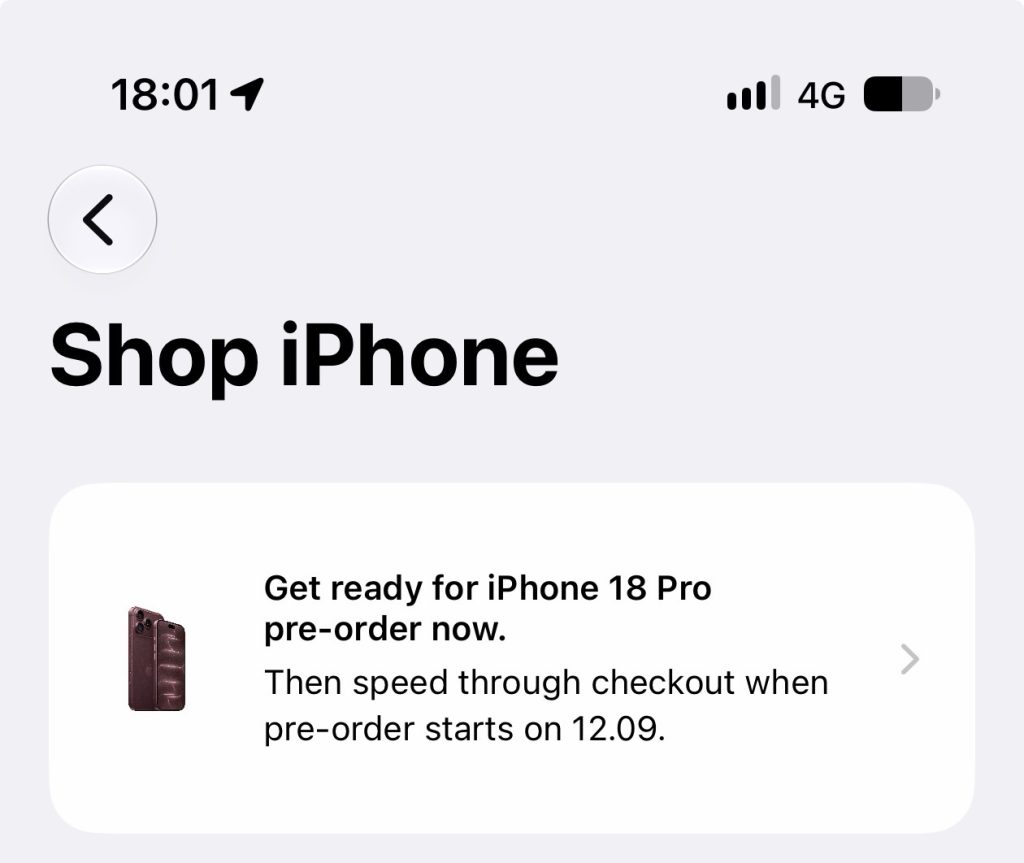
I’d also make the trade-in decision beforehand. There’s nothing worse than reaching checkout and suddenly thinking, wait… how much storage did I actually want?
The Apple Store app is also designed to provide a more personalised shopping experience, including keeping track of favourites and recent shopping activity.
And remember: 1:00pm BST. Saturday, September 12 — might be the only chance to get one.