Tomorrow is the day.
After months of developer betas, public betas, changing features, disappearing features and more Siri promises than I can count, iOS 27 is finally ready to leave the beta programme and land on iPhones around the world.
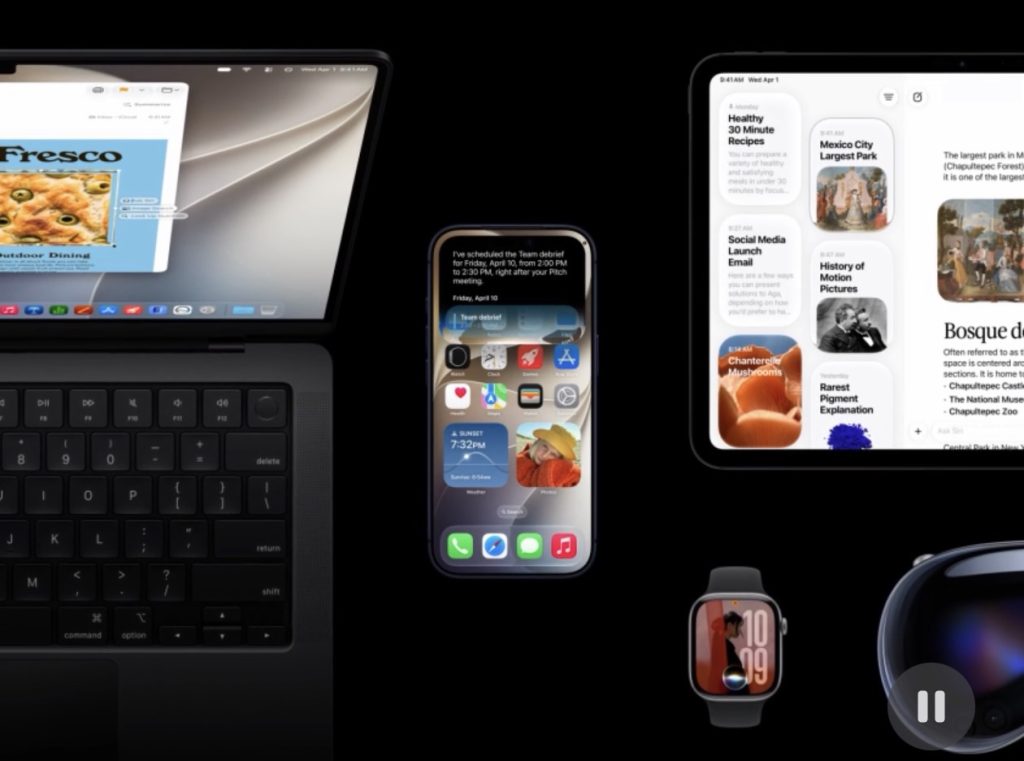
Apple has confirmed that iOS 27 will be publicly available from Monday, September 14, with the update arriving as a free software update for compatible iPhones. In the UK, Apple is expected to begin rolling it out at around 6pm BST, based on the company’s usual global release schedule. (MacRumors)
And while the new version of iOS might look familiar at first glance, there is quite a lot going on beneath the surface.
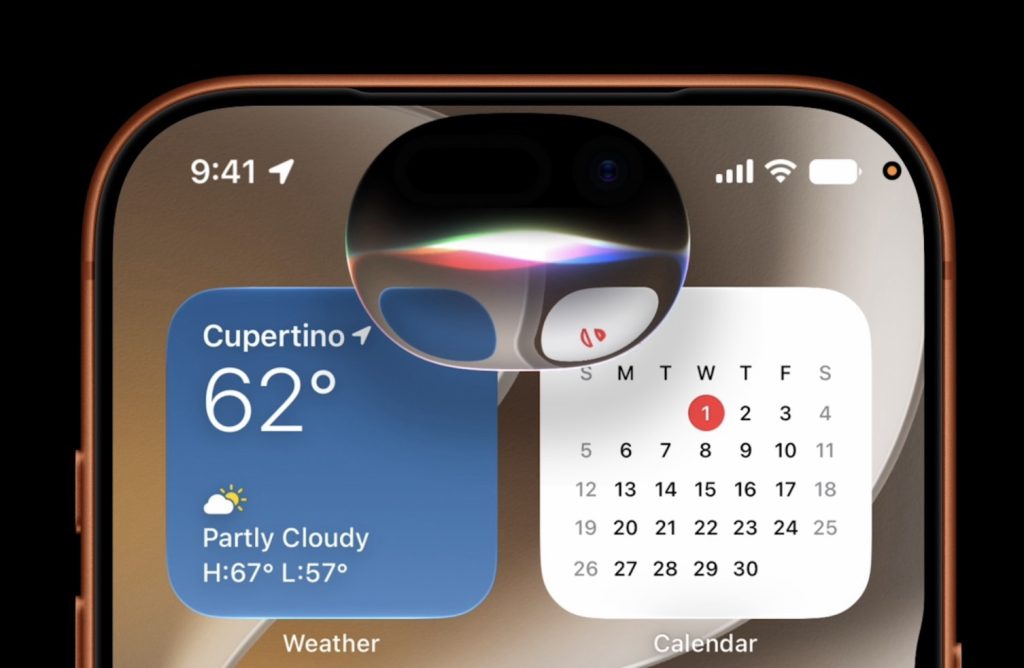
The obvious headline is Siri AI.
But iOS 27 is much bigger than Siri.
Siri finally gets its AI moment
Let’s start with the elephant in the room.
Siri has been Apple’s assistant for more than a decade, but iOS 27 is where Apple finally attempts to turn it into something that feels considerably more capable.
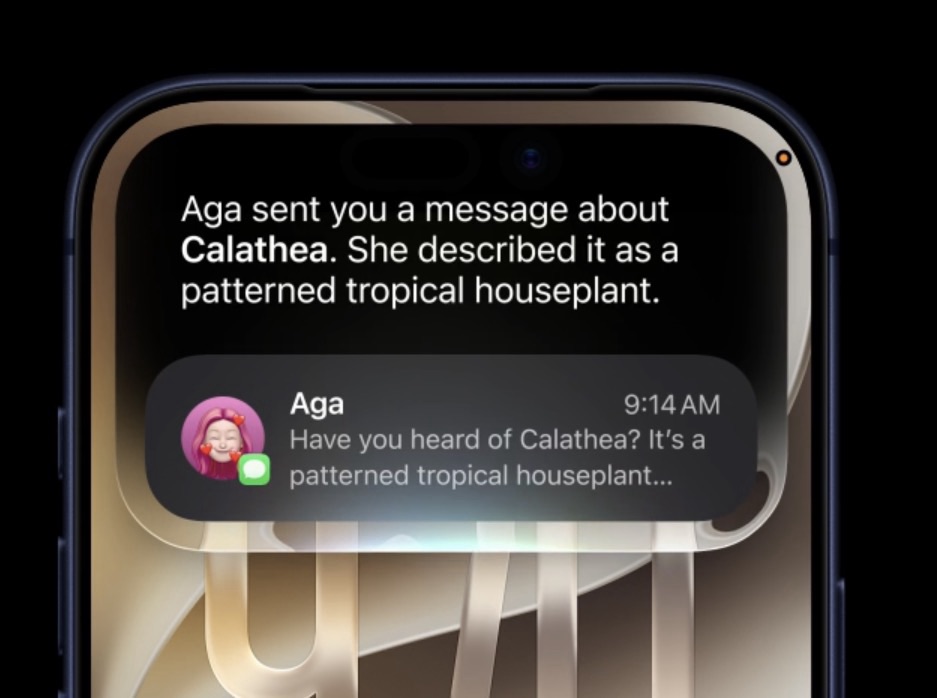
Apple is calling the new version Siri AI, and it can understand more natural requests, maintain context, work with information across your apps and take action rather than simply pointing you towards an app and hoping for the best.
You can type to Siri AI or talk to it naturally, ask follow-up questions and have a more conversational interaction.

It can also take action inside apps.
Want to create a reminder? — Done.
Create an event? — Done.
Send an email? — Done.
Add something to a playlist? — Siri can handle that too.

Apple is also introducing Write with Siri, allowing Siri AI to help generate or refine text virtually anywhere you can type. In Messages and Mail, it can even adapt its output to your writing style, including your punctuation and tone. (Apple)
There’s another particularly interesting addition: Siri mode in Camera.

Point your iPhone at something and Siri AI can use Visual Intelligence to understand what you’re looking at, answer questions about it and, in some cases, help you take action.
It makes the camera feel less like a camera and more like a window into Apple’s AI system.
And, yes, Siri’s voice is becoming more customisable too. Apple says users can adjust characteristics such as expressivity and pace to make Siri sound more natural to them. (Apple)
Apple Intelligence gets much more useful
Siri might be the star, but Apple Intelligence is being threaded through much more of iOS 27.

Photos gets new AI-powered tools including Spatial Reframing, an upgraded Clean Up experience and more powerful natural-language searching.
Instead of remembering exactly when a photograph was taken or where it lives in your library, you can describe what you’re looking for and let your iPhone do the detective work.
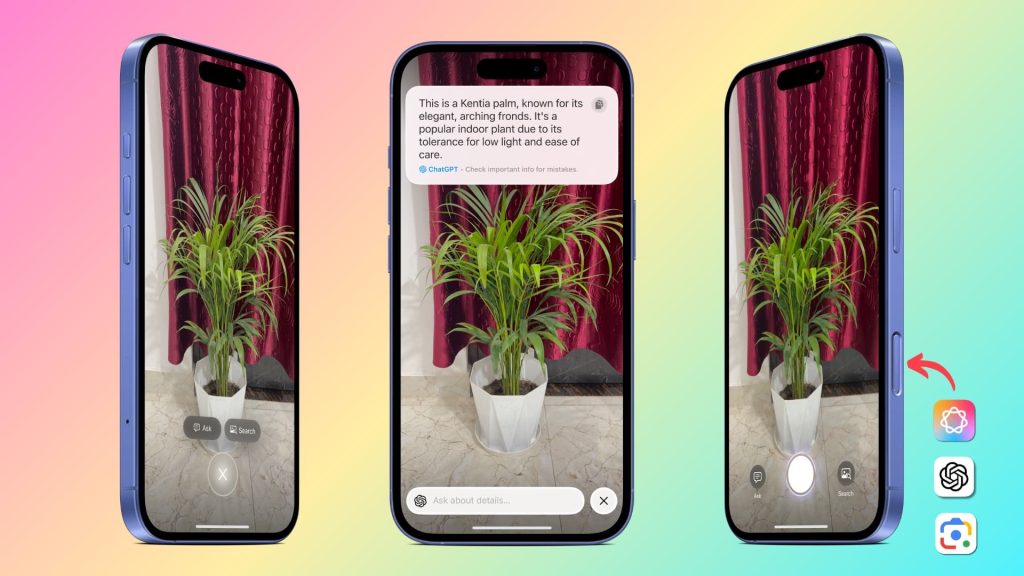
Visual Intelligence is also expanding.
Your iPhone can understand more of what you’re seeing, including things such as plants, animals, places and information contained in images. (Apple)
Apple is also bringing intelligence into some of the less glamorous parts of iOS.
Reminders can automatically categorise items and suggest reminders.
Safari can analyse your tabs and organise them into topics.
Shortcuts can be described in natural language.
Wallet gets smarter order tracking.
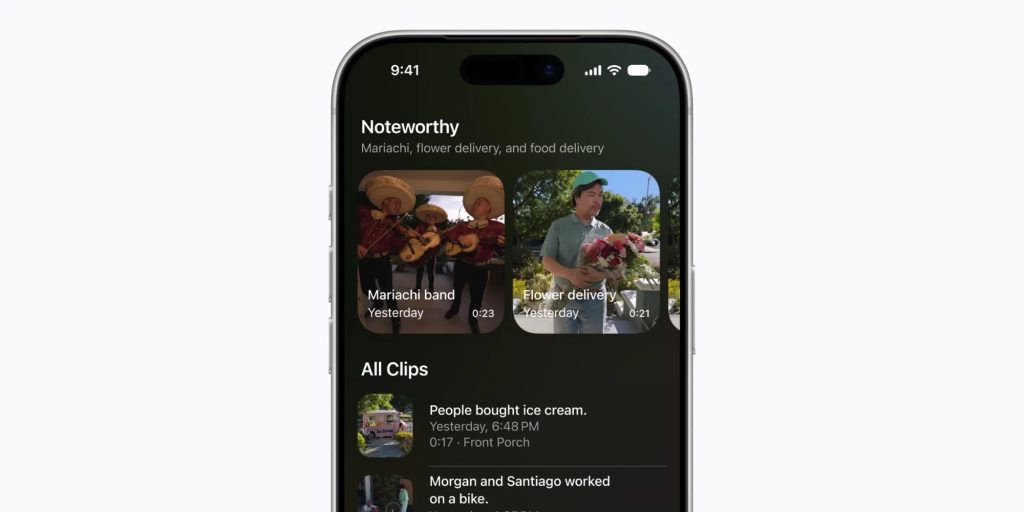
And Home can use Apple Intelligence to understand activity captured by compatible HomeKit Secure Video cameras. (Apple)
This is probably the most important thing about Apple Intelligence in iOS 27.
It is starting to become less of a collection of individual AI tricks and more of a consistent layer running throughout Apple’s entire operating system.
Safari gets seriously smarter
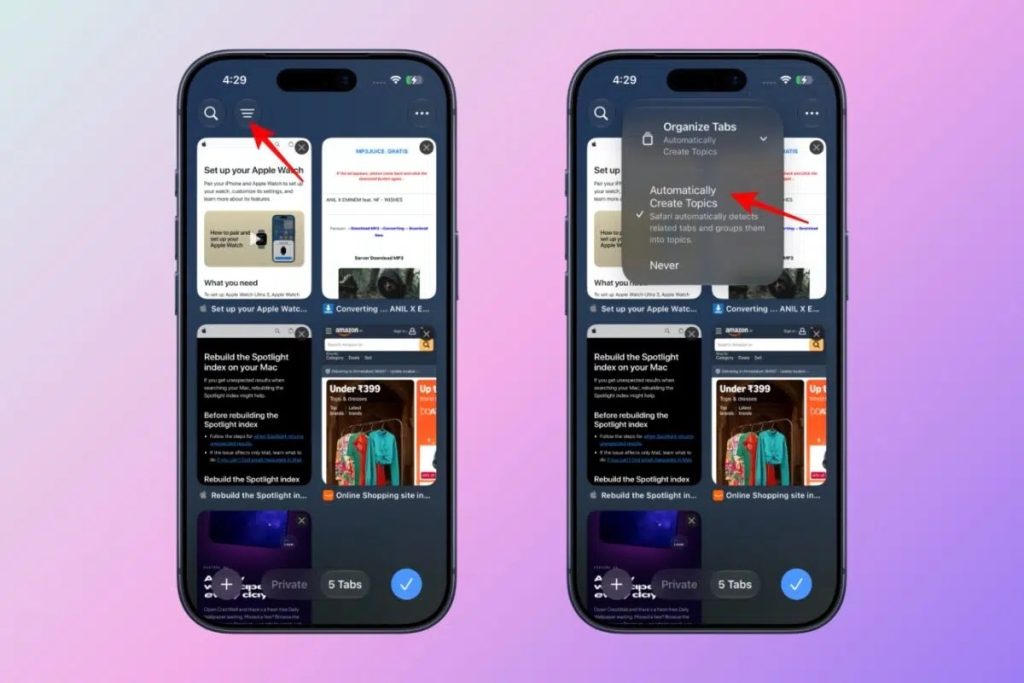
Safari is getting some particularly useful Apple Intelligence features.
Organize Tabs can automatically group your open tabs according to their subject matter.
For anyone who regularly ends up with approximately 47 Safari tabs open — guilty — this could be one of those tiny features that ends up being surprisingly useful.
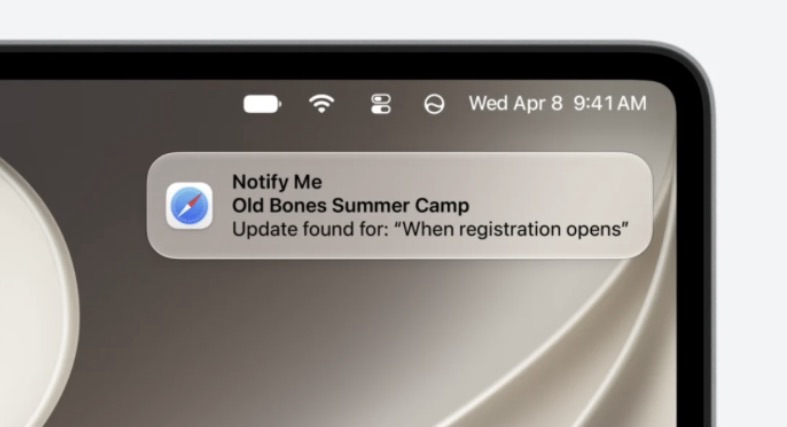
Then there’s Notify Me.
Safari can monitor a webpage and alert you when something changes, such as a price dropping or information being updated.
Apple is also introducing the ability to describe an extension in natural language, with Apple Intelligence helping create the functionality you’re looking for. (WIRED)
It’s a very Apple approach to AI: rather than opening a separate chatbot and asking it to do something, the intelligence increasingly lives inside the thing you’re already using.
iOS 27 looks a little different too
Apple isn’t throwing away the Liquid Glass design introduced previously, but iOS 27 gives users more control over how it behaves.
There are new ways to adjust the appearance of Liquid Glass, including an opacity control, while Apple has also refreshed icons and introduced additional customisation options.
The Lock Screen gets more flexibility too, including the ability to change the size of the time display.
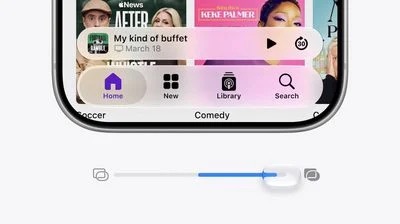
Apple is also adding more granular control over sound, with separate volume controls for things such as ringtones, alarms, timers, alerts and system sounds. (The Verge)
None of this sounds revolutionary on its own.
But together, it makes iOS feel a little less like something Apple has designed once and expects everyone to accept — and a little more like something you can actually make your own.
Messages gets more intelligent
Messages is becoming considerably more useful with Apple Intelligence.
Contextual suggestions can appear based on what’s being discussed, allowing you to perform actions without necessarily jumping between apps.
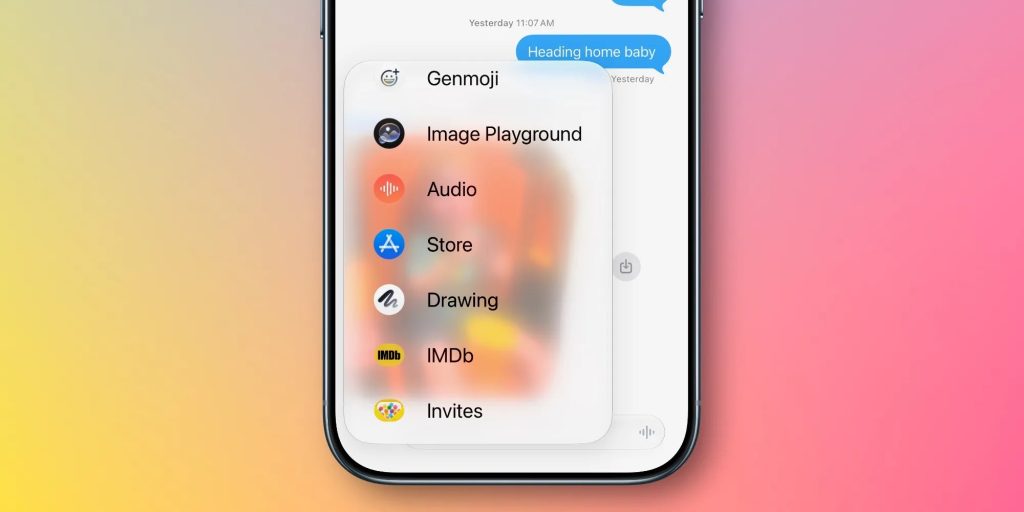
Apple’s broader intelligence system can understand things happening inside conversations and suggest relevant actions.
There is an important caveat here, though.
Apple originally demonstrated one-tap suggestions for conversations during the beta cycle, but that particular feature is not ready for the initial iOS 27 release. Apple has confirmed that it will arrive in a later update. (MacRumors)
So not everything you’ve seen during the iOS 27 beta will necessarily be waiting for you tomorrow.
Calls get smarter too
The Phone app gets a collection of genuinely useful upgrades.
There’s Call Screening, Call Context, voicemail summaries, call transcription and call recording.
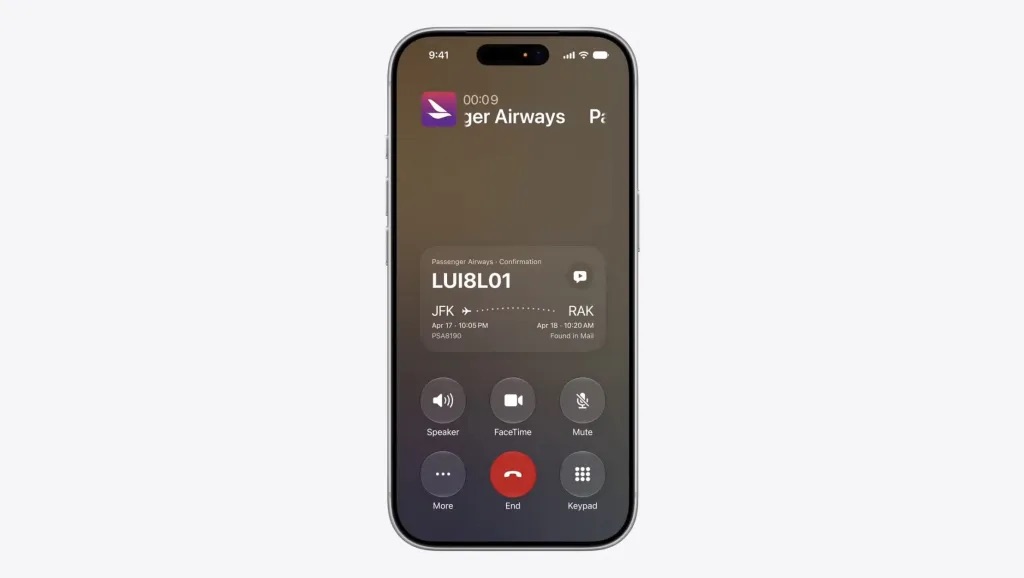
Call Context is particularly interesting because Siri AI can surface relevant information from your other apps while you’re on a call.
So if you’re speaking to an airline, for example, Siri could surface the relevant confirmation information stored in Mail without you having to hang up and start digging around your phone. (Apple)
It’s the kind of feature that sounds almost boring until you actually need it.
Then it suddenly makes perfect sense.
Maps remembers where you’ve been
Maps is getting smarter in iOS 27 too.
One of the more interesting additions is Visited Places, which allows your iPhone to keep track of places you’ve been.
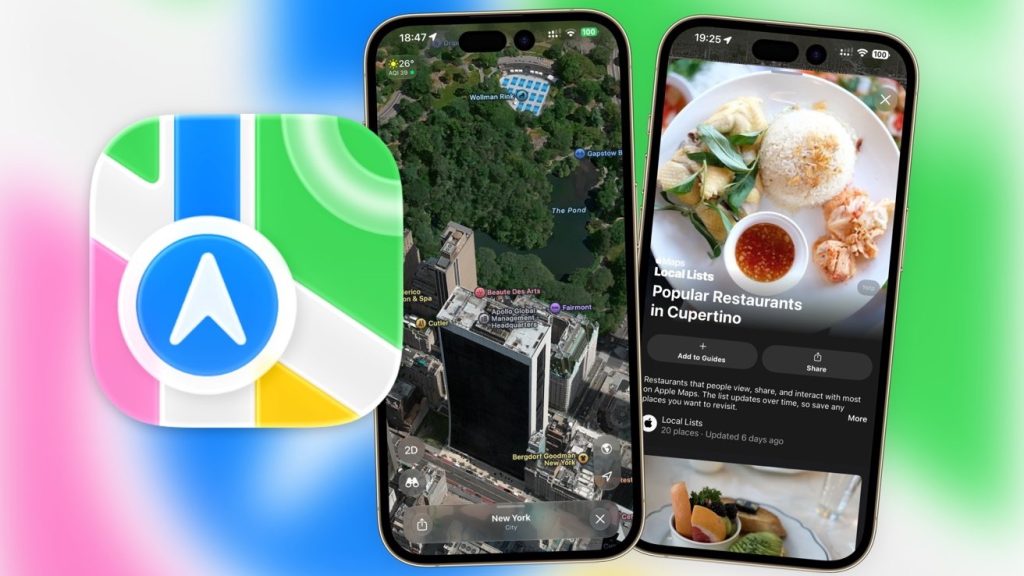
The feature is designed to give you a personal history of the places you’ve visited, rather than simply treating Maps as something you open when you’re lost.
Apple is also enhancing Flyover using aerial imagery and Visual Intelligence models to create more detailed representations of cities and landmarks. (Apple)
For UK users, Visited Places is particularly notable because Apple lists the United Kingdom among the regions where the feature is available. (Apple)
Apple Music gets a little more global
Apple Music is picking up Lyrics Translation and Lyrics Pronunciation.
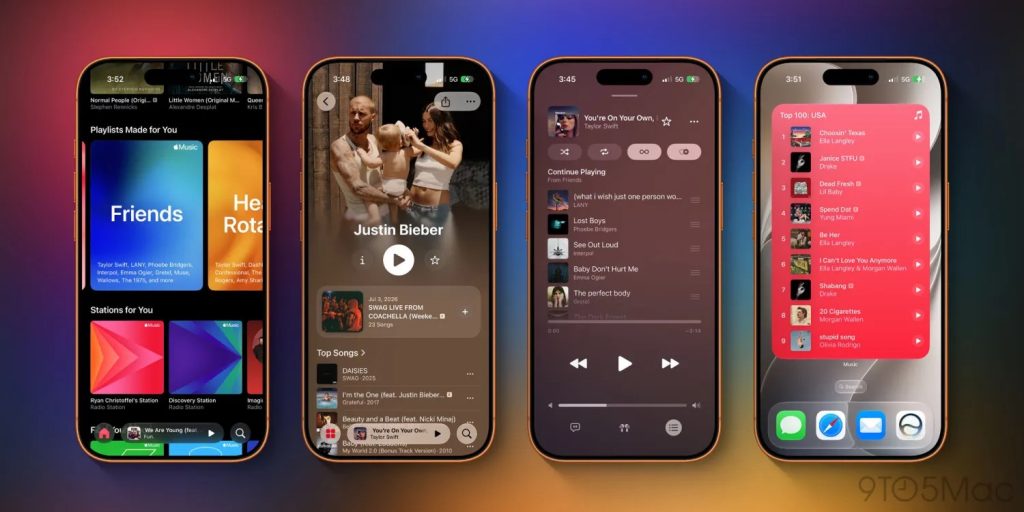
So if you’ve ever found yourself listening to a song in another language and attempting to sing along using completely made-up phonetics, Apple would like to help.
Lyrics Translation can show what the lyrics mean, while Lyrics Pronunciation helps you actually sing them.
It’s a small addition, but a very Apple Music kind of addition.
Wallet gets cleverer
Wallet is becoming more than somewhere to keep your bank cards and boarding passes.
Apple Intelligence can now help with order tracking, bringing delivery information together from emails and carriers.
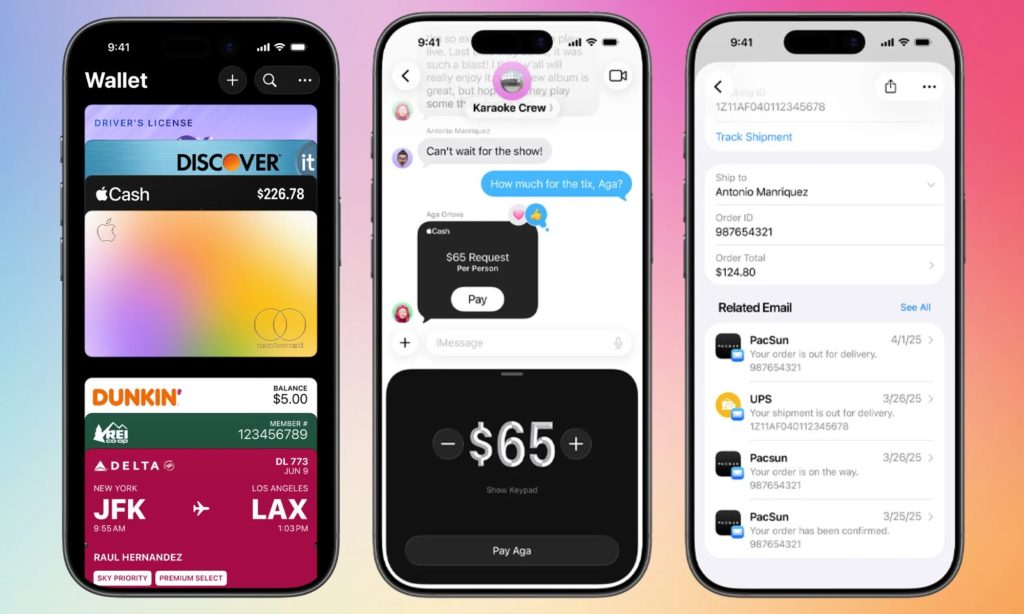
There’s also a particularly neat new use of Visual Intelligence: you can photograph a physical loyalty or membership card and use your iPhone to help turn it into a Wallet pass.
Apple is also introducing an AI-assisted way to split bills using Apple Cash by scanning a receipt and identifying individual items.
The idea is simple: point your iPhone at the bill, select what you had, and let the maths happen. (Apple)
The Games app
iOS 27 also continues Apple’s push into gaming with the dedicated Games app.
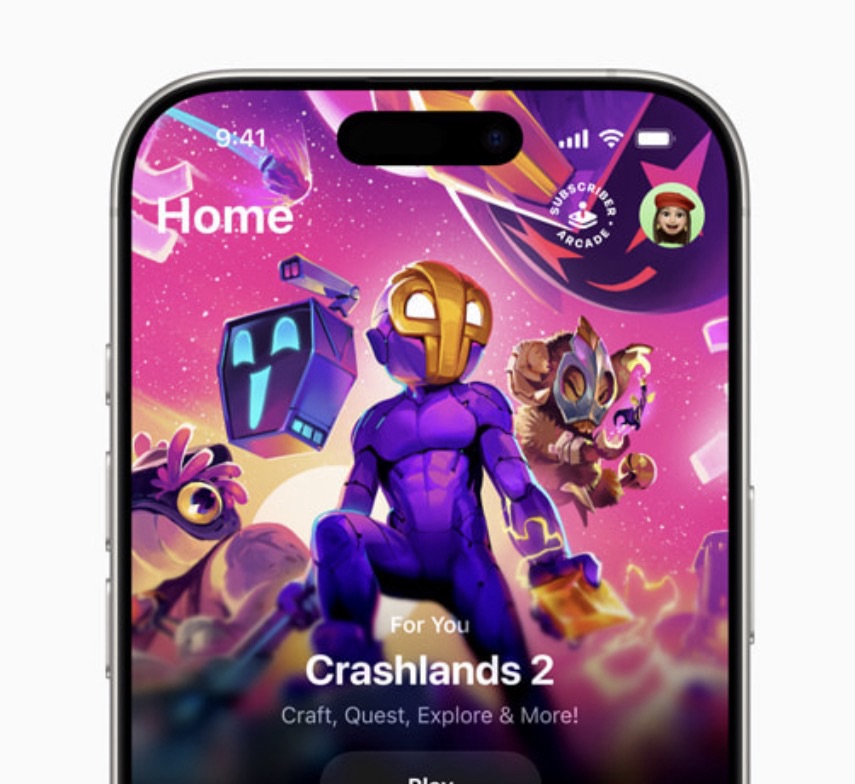
Rather than treating games as just another collection of App Store icons, Games becomes a central place to find your games, discover new ones, see what friends are playing and keep track of your gaming activity.
It pulls together games from the App Store and Apple Arcade and gives the iPhone a more console-like home for gaming. (Apple Support)
It feels like Apple finally admitting that a lot of people use their iPhones as games consoles.
Home gets smarter
The Home app is getting some surprisingly powerful Apple Intelligence features.
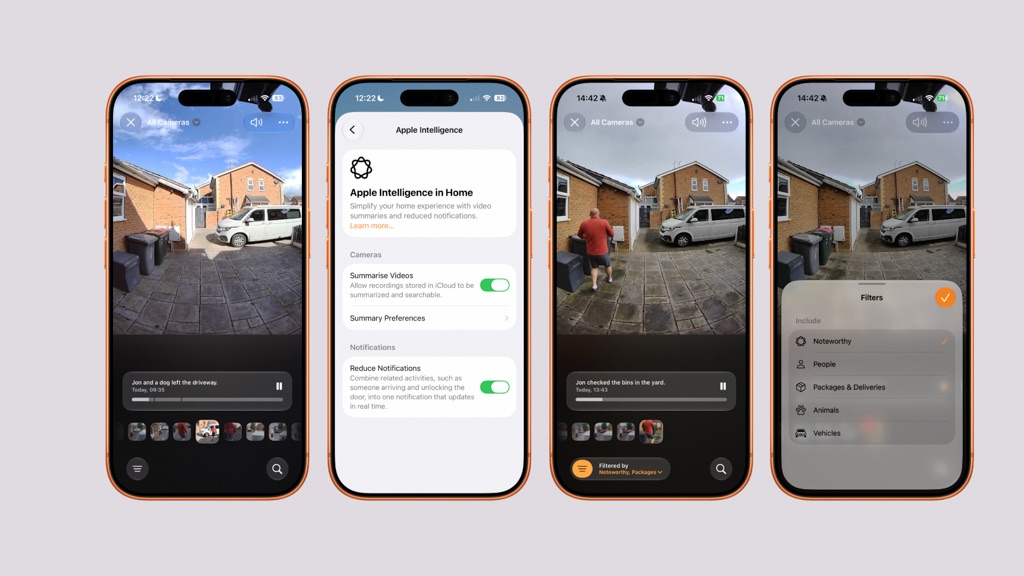
Compatible HomeKit Secure Video cameras can use AI to describe what happened in recorded footage and allow you to search for clips based on what happened rather than simply scrolling through hours of video.
Supported cameras can also record and stream in 4K.
That makes the Home app feel considerably more intelligent than the collection of switches and cameras it started out as. (Apple)
And then there’s iPhone Duo
There’s another reason iOS 27 is particularly interesting this year.
iPhone Duo.
Apple’s first foldable iPhone arrives later this autumn, and iOS 27 has clearly been designed with it in mind.
When Duo is unfolded, iOS can change the way controls, apps and widgets are arranged to take advantage of the larger display.
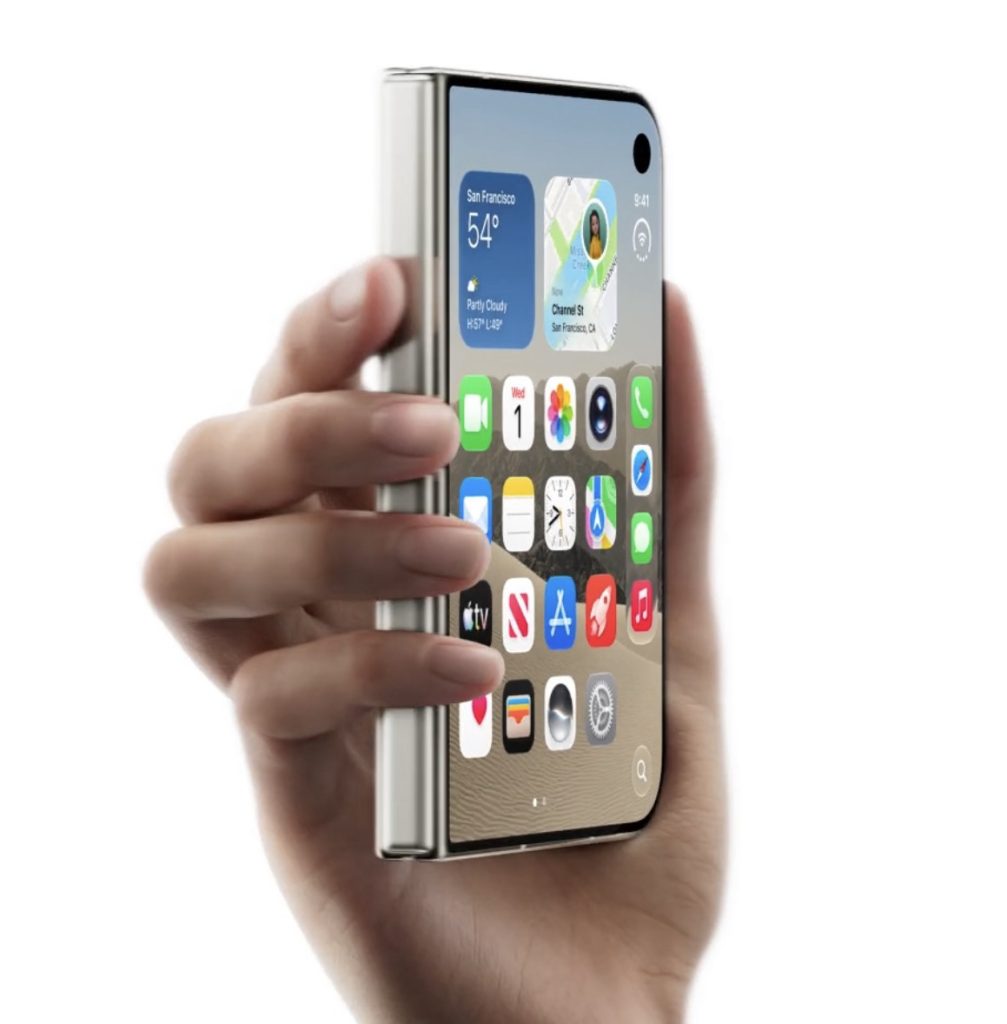
Apple has effectively had to rethink what iOS looks like when an iPhone suddenly becomes something much closer to a small iPad.
That includes different layouts, more sophisticated multitasking and interfaces that adapt depending on how the device is being held or folded. (The Verge)

So while most people won’t have an iPhone Duo tomorrow, iOS 27 is quietly laying the software groundwork for Apple’s next big hardware experiment.
Not every feature is coming to every iPhone
This is the bit worth remembering before you hit Download and Install.
iOS 27 itself supports a surprisingly wide range of devices.
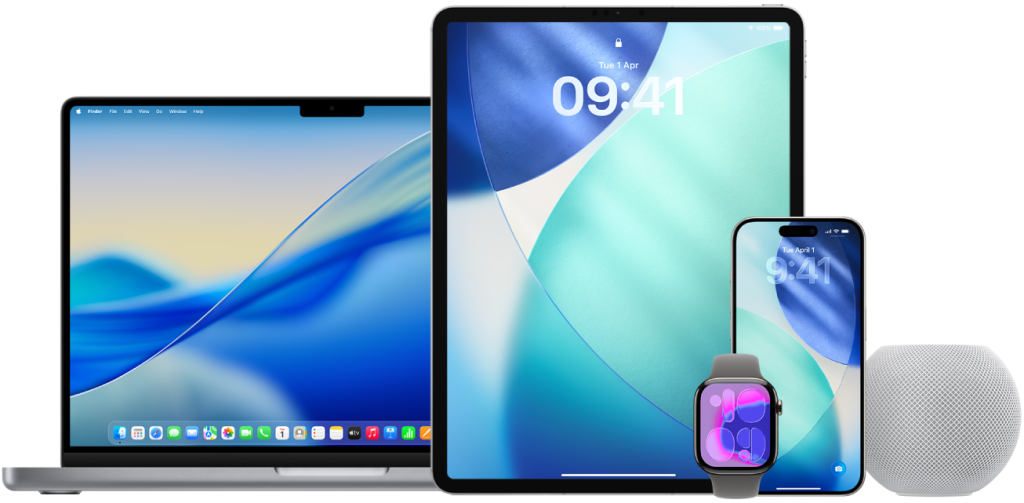
Apple lists compatibility going all the way back to the iPhone 11, as well as the second-generation iPhone SE and newer models. (Apple)
But that doesn’t mean every iPhone gets every feature.
Apple Intelligence features require compatible hardware, meaning older iPhones can install iOS 27 but won’t suddenly receive the complete Siri AI experience.
That distinction is going to matter a lot tomorrow.
You could have two iPhones running exactly the same version of iOS 27 while having noticeably different capabilities.
And one more thing: Siri AI isn’t finished
This is probably the most important caveat of the entire release.
Siri AI launches in beta.
Apple is rolling out the new Siri experience in English first, with additional languages scheduled to follow. Apple’s UK iOS 27 page specifically confirms that Siri AI is rolling out in English at launch. (Apple)
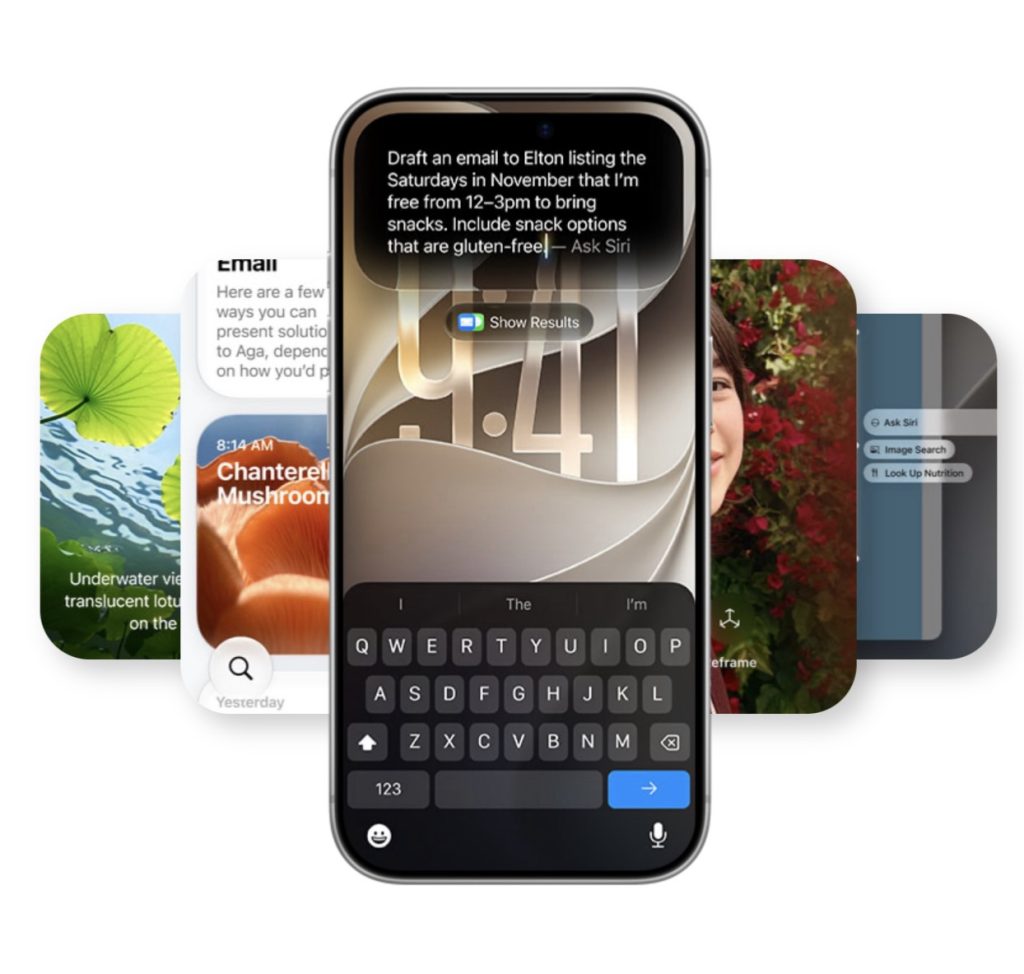
So tomorrow isn’t the moment when Siri suddenly becomes the perfect AI assistant we’ve all been promised.
It’s the beginning of that transition.
And Apple is already preparing further iOS 27 updates.
Two features that appeared during the beta — conversational suggestions in Messages and automatic fixing of compromised passwords — have been pushed beyond the initial release. (MacRumors)
That means iOS 27 tomorrow is really version one of a much bigger story.
When can you actually download it?
Apple has confirmed that iOS 27 launches publicly on Monday, September 14.
For those of us in the UK, the expected release time is around 6pm BST.
When it appears, head to:
Settings → General → Software Update
and iOS 27 should appear as an available update.
Don’t panic if it doesn’t appear immediately at exactly 6pm, though. Apple rolls these updates out globally and millions of people will be attempting to download it at roughly the same time.
The servers are going to have a busy evening.
So… is iOS 27 worth installing?
Yes. But perhaps not for the reason you might initially think.
The headline is obviously Siri AI. That’s the feature everyone will be talking about tomorrow.
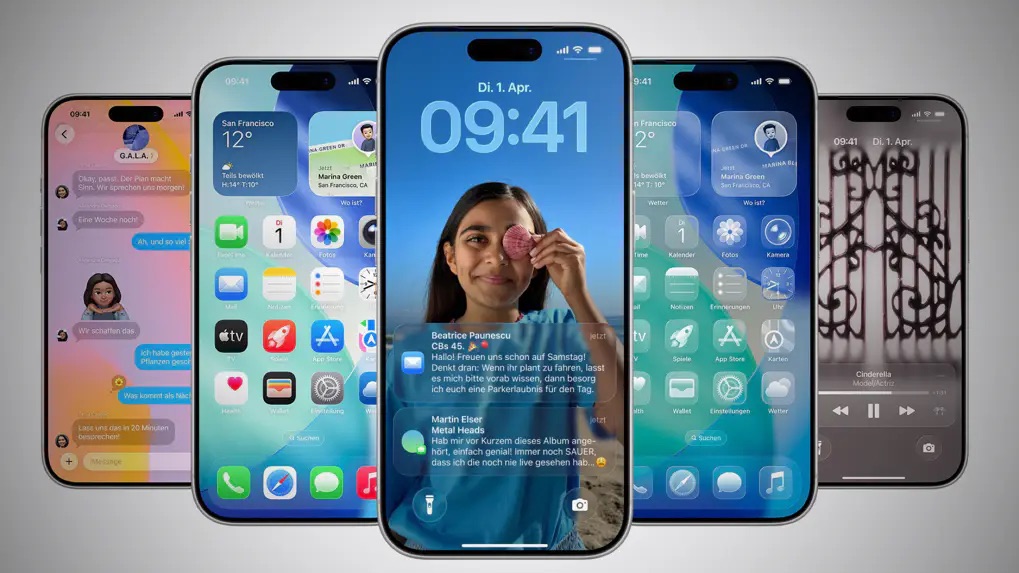
But the more interesting thing about iOS 27 is how many little pieces are starting to fit together.
Safari is becoming more intelligent. Photos understands more. Maps remembers more. Wallet can do more. The Phone app can understand more.
Visual Intelligence is spreading across the system.
And Siri is finally becoming capable of actually doing things rather than simply telling you where to tap.
Then there’s iPhone Duo sitting quietly in the background, waiting to show us what iOS looks like when an iPhone suddenly has considerably more screen to play with.
iOS 27 doesn’t feel like Apple adding one giant new feature to the iPhone.
It feels more like Apple is gradually changing what the iPhone is capable of doing for you.
And tomorrow, that all becomes available to everyone.
Well…
Most of us.
The rest of us will probably still be staring at the Software Update screen at 6:03pm wondering; “why hasn’t it appeared yet.”
Comments
5 responses to “iOS 27 Arrives Tomorrow — Here’s Everything Coming to Your iPhone”
[…] thinking runs right through the Duo experience. Apple says iOS 27 has been reworked around the different orientations, with everything from Split View multitasking to hands-free FaceTime and flexible viewing angles […]
[…] app is part of Apple’s much bigger Siri AI rollout with iOS 27, although availability of Siri AI itself varies by language, device and region. Apple currently […]
[…] the iPhone Duo, iOS 27 moves the Home Screen’s Dock from its traditional position at the bottom of the display and […]
[…] popular email app is taking advantage of some of the bigger changes in iOS 27, particularly the new Siri capabilities, to make it possible to do quite a bit more without […]
[…] … and with Apple pushing Siri AI and Live Translation directly into something you wear in your ears all day, AirPods are starting to feel like they’re becoming a much bigger part of the iPhone experience. […]